Open source · Apache-2.0
Live quizzes, written in your Beamer slides
texstage puts questions and class activities into the same .tex file as your lecture. You present in the browser. Students answer on their phones, with no app and no account.
Get started Watch the 18-minute demo
Built at RWTH Aachen University for lectures on databases and knowledge graphs.
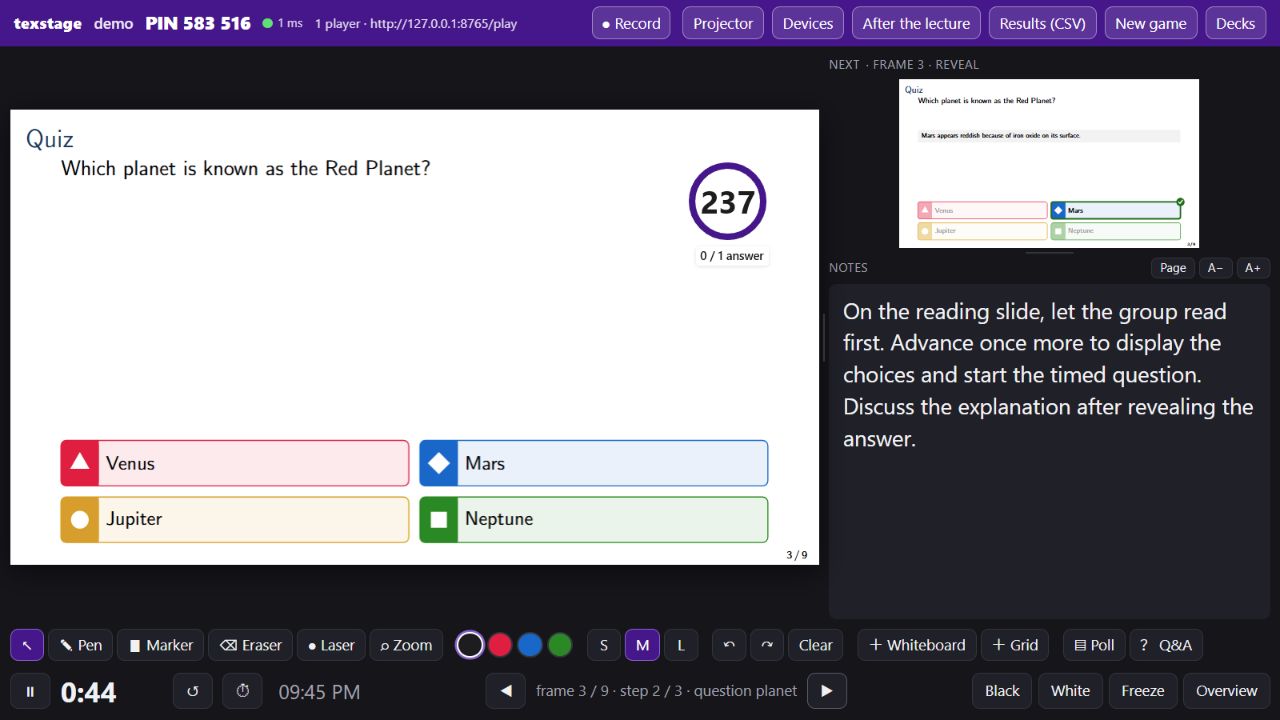
Write the quiz where it is shown
A quiz is a few lines of LaTeX, next to the slides it belongs to. Your theme, speaker notes and labels keep working, and a quiz can also sit inside one of your own frames, beside a table or a listing.
\documentclass{beamer}
\usepackage{texquiz}
\begin{document}
\quizjoinframe                  % QR code and PIN
\begin{quiz}[id=planet]{Which planet is known as the Red Planet?}
  \choice{Venus}
  \choice*{Mars}                 % * marks the correct answer
  \choice{Jupiter}
  \choice{Neptune}
  \explain{Mars appears reddish because of iron oxide on its surface.}
\end{quiz}
\quizpodiumframe                % final standings
\end{document}
One source, three outputs
Handout PDF
Before the lecture. Each quiz becomes a neutral placeholder, so nothing is given away.
Solutions PDF
After the lecture. The questions with their correct answers and your explanations.
Live deck
In the lecture. A small server keeps your presenter window, the projector and the phones in step.
texstage pdf deck.tex              # handout
texstage pdf --solutions deck.tex  # solutions
texstage present deck.tex          # build, start the server, open the presenter
Before you present, texstage build checks every quiz frame as it really looks, and stops if content runs into the footline or a frame is shrunk too far.
One question, three clicks
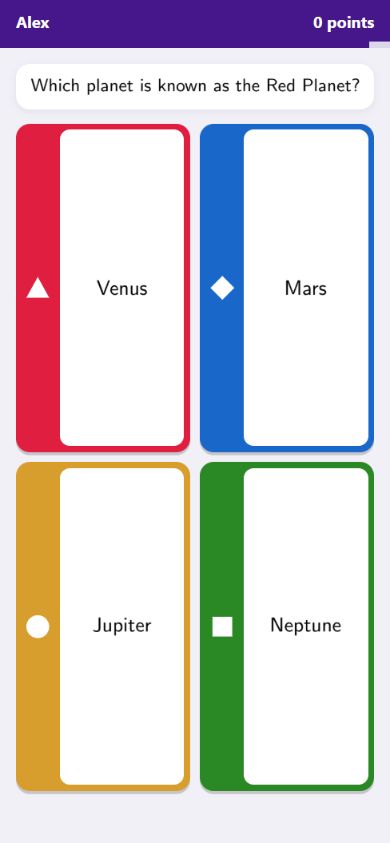
Students scan the QR code on the join slide and enter the PIN and a nickname. You run every question with the clicker you already use for your slides.
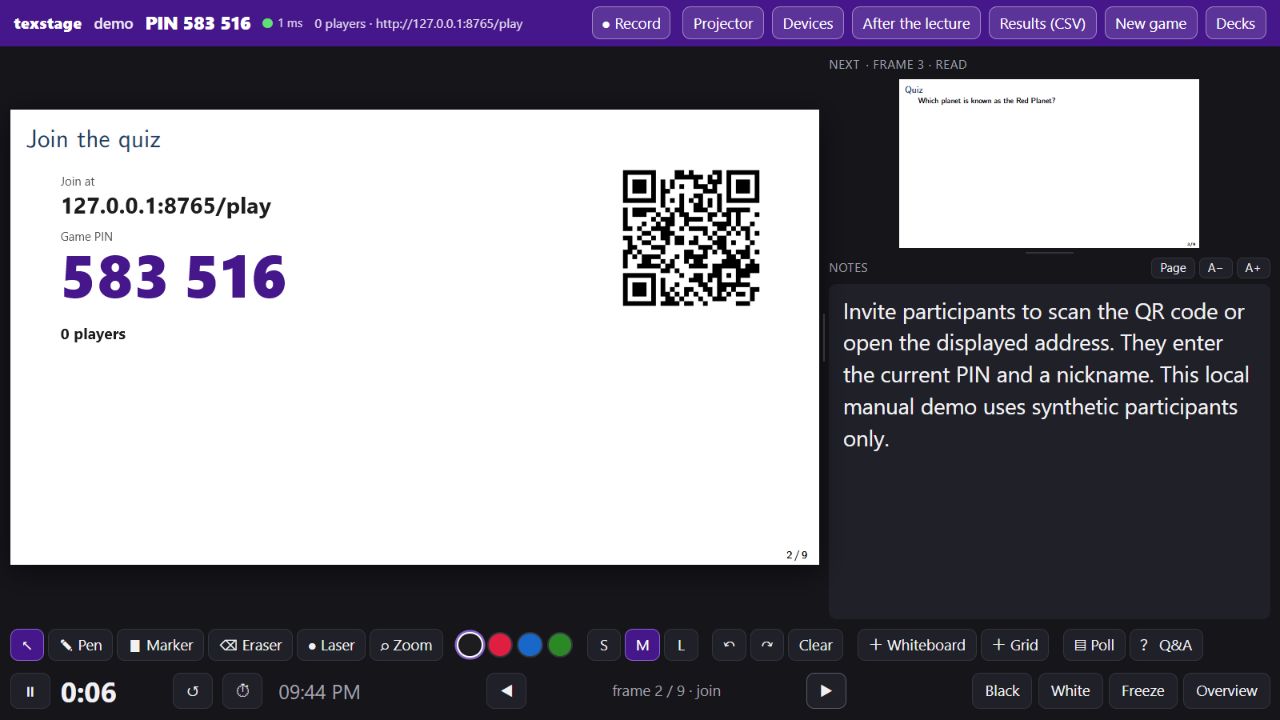
-
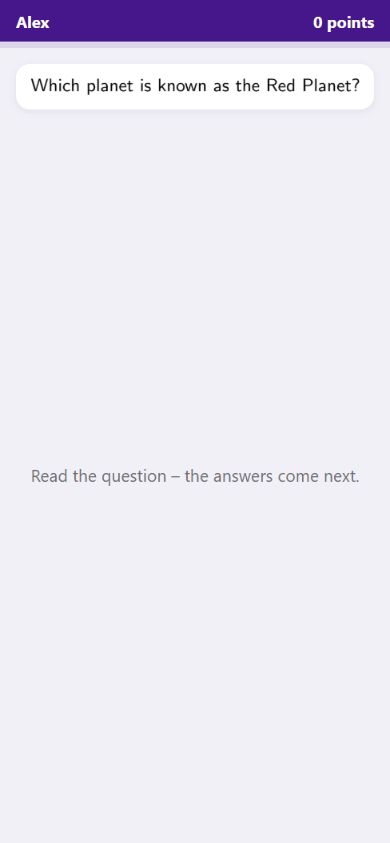
1 Read
The question appears alone, on the projector and on the phones. There are no buttons yet, so the class reads first.
-
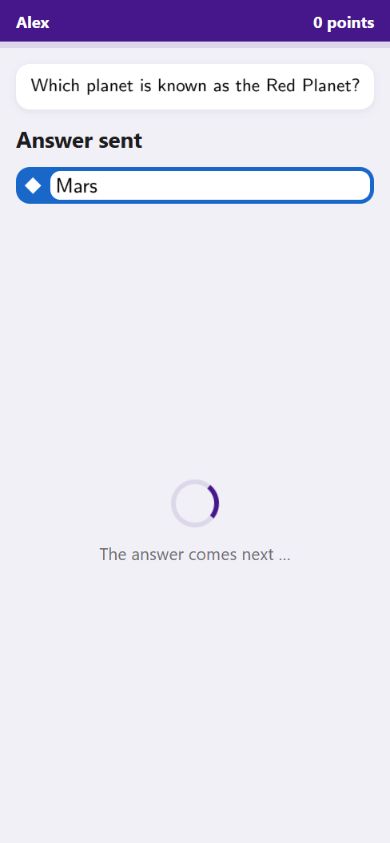
2 Answer
The next click opens a timed round of 5 to 240 seconds. Pause it, add 10 seconds or stop it whenever you like.
-
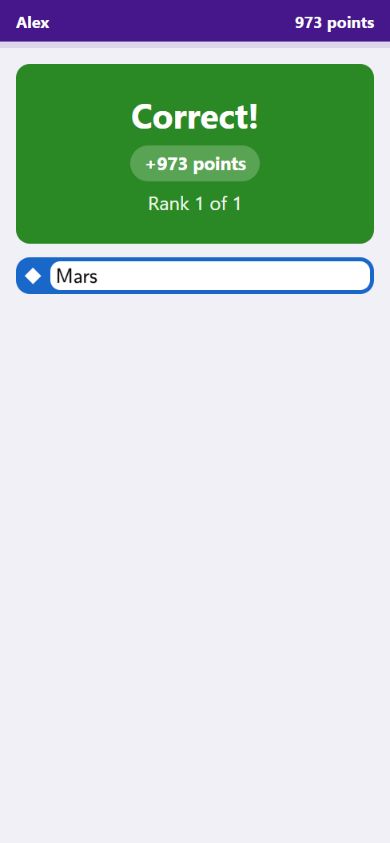
3 Reveal
The slide marks the correct answer, shows how the class voted and adds your explanation. Each phone shows its own result.
Going back never resets a question. Ask again runs a practice round without points, and a podium slide ends the session with the final standings.
Nine question types
From a quick check to a drawing. Scored questions can feed a leaderboard; unscored ones collect opinions, estimates and ideas.
Single choice
2 to 6 answers, one correct.
ScoredMultiple choice
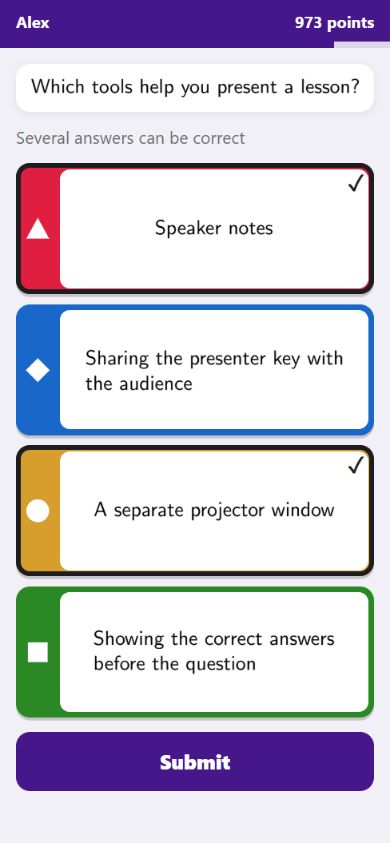
Select every correct answer, with optional partial credit.
ScoredTrue or false
One tap, labels of your choice.
ScoredNumeric
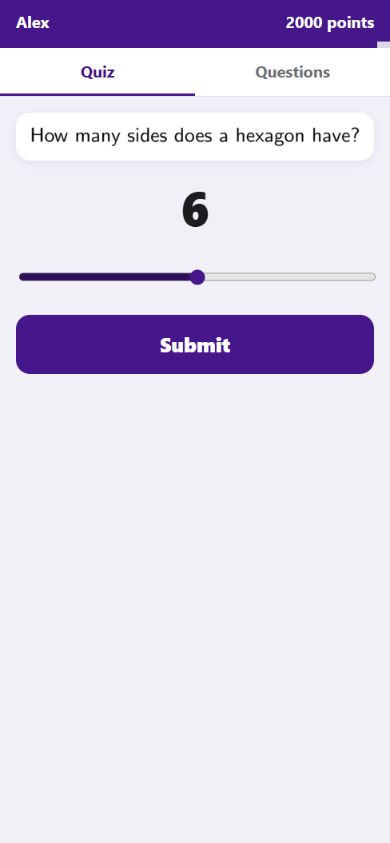
A number or a slider, with tolerance and unit.
Scored or estimateShort text
A typed term, checked against the spellings you accept.
ScoredOrdering
Put shuffled steps in the right order.
ScoredPoll
One or several options, no right answer.
UnscoredOpen text
Free answers, shown as a word cloud or a list.
UnscoredSketch
Students draw; you pick drawings for the projector.
Unscored
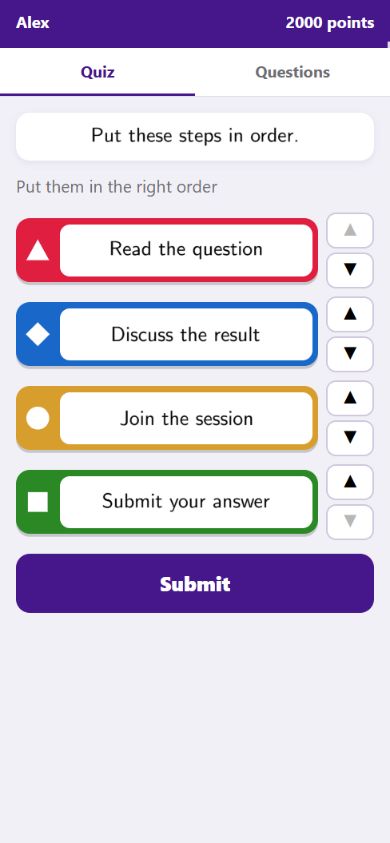
Not everything has to be prepared. Poll asks a question on the spot: yes or no, A to F, a scale from 1 to 5, a word cloud, free text or a sketch. Q&A collects anonymous questions with upvotes, and you choose which one goes on the projector.
Live activities: the class builds something together
Instead of one answer each, students send many small contributions. texstage turns them into one picture on the slide, and you moderate it.
Crowd graph
Students send pairs or triples, such as “Alice knows Bob”. A graph grows on the projector. Merge spellings, hide terms, require a minimum number of students per edge, or review every contribution first.
Query clusters
Students write SQL, SPARQL or Turtle against a small dataset you provide. Submissions are grouped by their result, so you see which mistakes are common, not just how many answers were wrong.
\begin{frame}[fragile]{Query the people table}
  \begin{activity}[id=names, input=code, engine=sql, open=manual]
    \prompt{Return all names in alphabetical order.}
    \seed{CREATE TABLE people(name TEXT);
          INSERT INTO people VALUES ('Bob'), ('Alice');}
    \reference{SELECT name FROM people ORDER BY name;}
  \end{activity}
\end{frame}
Phones never run code. Queries are evaluated in the presenter's browser, with SQLite (sql.js) and Oxigraph. Before the reveal, a student only learns whether the query runs, never its result. Live activities run in the browser presenter.
A presenter made for teaching
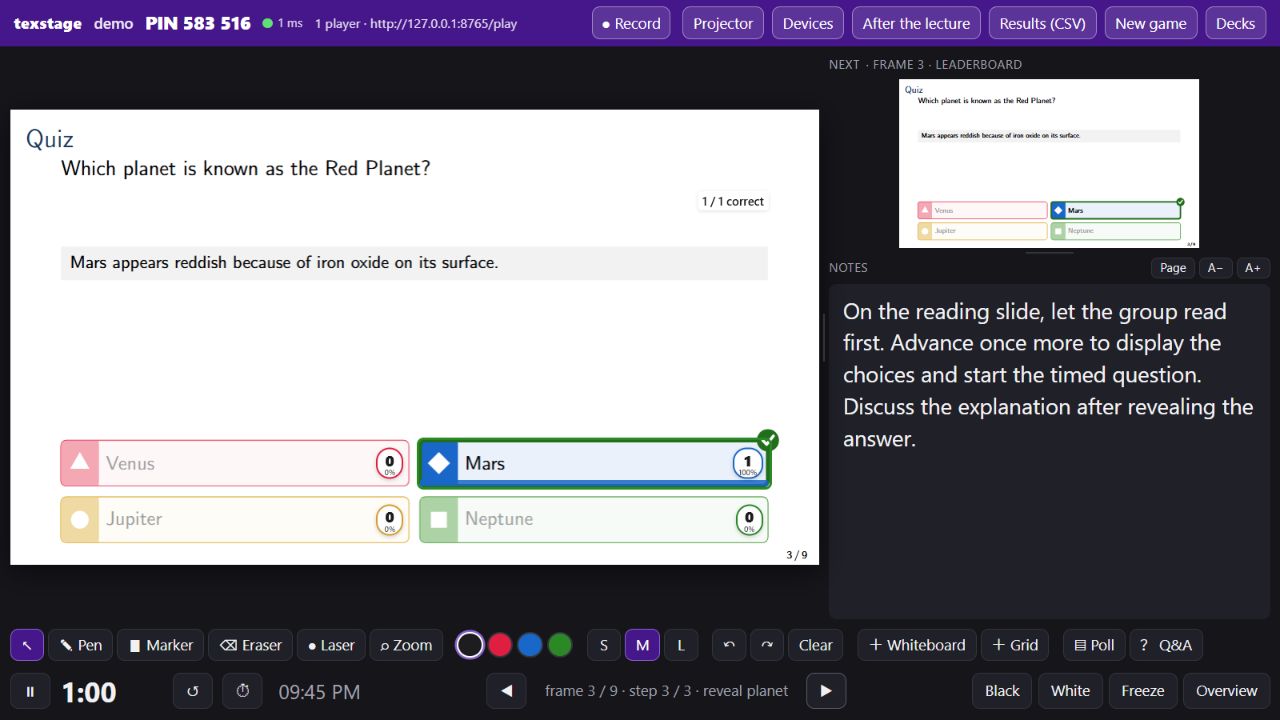
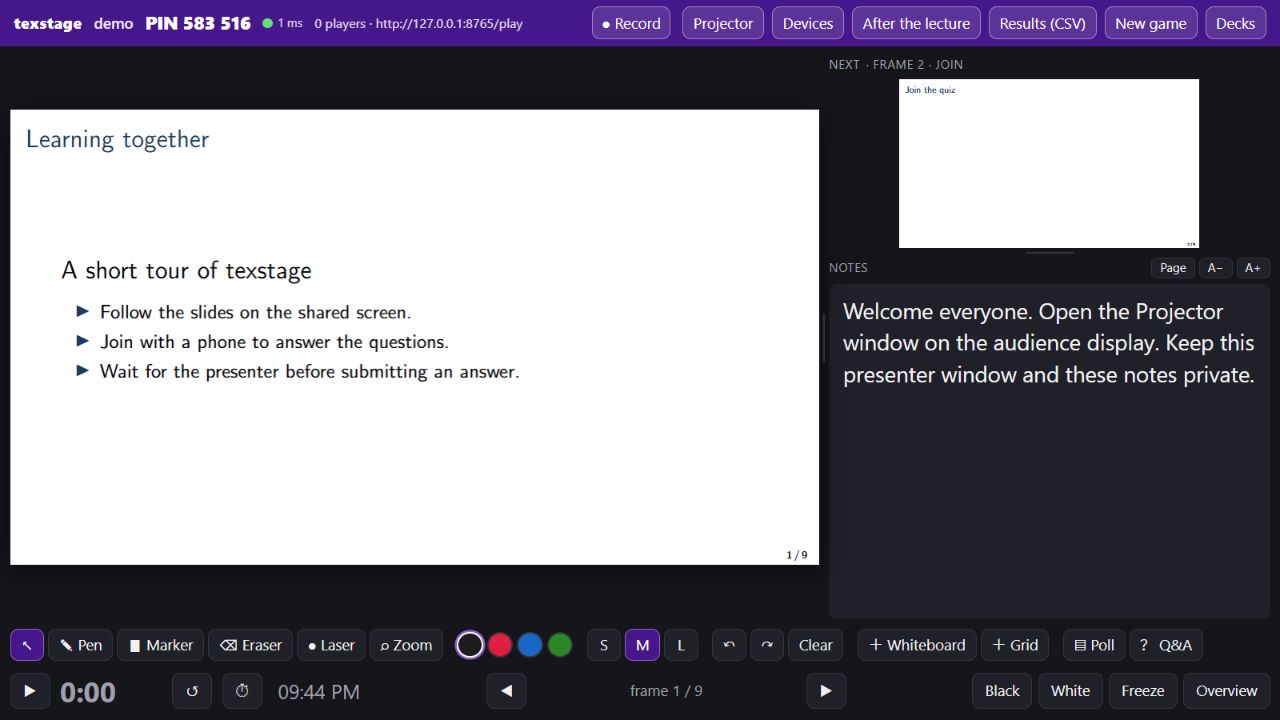
The presenter window is private: current and next step, your notes, a timer and the tools. The projector window shows the room only the slide.
Notes and next step
Your Beamer notes, as typeset or as resizable text, beside a preview of the next step.
Ink and pointer
Pen, highlighter, eraser, laser pointer and zoom, with mouse, touch or a Wacom pen.
Whiteboard pages
Insert a blank or squared page after any frame and write on it.
Control the room
Black, white or freeze the projector while you look ahead privately.
iPad as presenter
Pair a tablet by QR code and write with the Pencil while the laptop drives the projector.
Recording
Record what the hall sees, with your voice, straight into the server's archive.
After the lecture
One click gives the annotated PDF with your ink and whiteboard pages, and the results as CSV.
PowerPoint, if you need it
Export a live PowerPoint deck with an add-in, plus a static fallback without quizzes.
See a whole session in 18 minutes
A narrated tour that plans a picnic with its audience. It shows all nine question types, five live activities, the presenter tools and the exports, from the lecturer's and the students' side.
- 00:00 What texstage is and why use it
- 00:49 One source, three views
- 01:52 Join and answer a first poll
- 03:13 Questions and useful feedback
- 06:47 Collect ideas and questions
- 09:44 Build and explore together
- 13:08 Explain things as they happen
- 14:32 Device coupling: a second presenter
- 15:35 Recording setup and keeping results
- 17:08 From this example to your own talk
Captions are part of the video. The participants are fictional, and the English narration is AI-generated from Stefan Decker's voice.
Get started
You need Python 3.12 to 3.14 and a TeX distribution with Beamer and TikZ, such as TeX Live, MacTeX or MiKTeX. texstage brings its own LaTeX packages. Students need only a browser.
git clone https://github.com/stefanjdecker/texstage.git
cd texstage
python -m venv .venv
. .venv/bin/activate            # Windows: .\.venv\Scripts\Activate.ps1
python -m pip install --require-hashes --only-binary=:all: -r requirements/runtime.txt -r requirements/build.txt
python -m pip install --no-deps --no-build-isolation .
texstage present examples/manual/demo.tex --data .manual-data --port 8765 --no-tunnel
The presenter opens at localhost:8765/stage. Open localhost:8765/play in a second browser tab to answer as a student, then try a real phone with the address texstage prints after “phones join at”.
Where the server runs
Your laptop
In the room's network. The simplest setup, and it works offline.
Your laptop, through a tunnel
A Cloudflare tunnel lets phones join from any network, for example when the campus Wi-Fi keeps devices apart.
A hosted server
Behind HTTPS, with the included Docker setup. Each lecturer has a key and sees only their own decks and results.
Documentation
- Illustrated manual Presenting, joining and answering, step by step, with screenshots. Also as a PDF.
- Installation guide Requirements, a first deck, troubleshooting and hosting.
- Writing quizzes Question types, options, answer frames and build modes.
- LaTeX reference Every command and option of the four packages.
- Feature showcase The picnic-themed deck from the demo, ready to present yourself.
Status
texstage is a development candidate, version 0.2.1.dev0. It was built for lectures on knowledge graphs and databases at RWTH Aachen University, and so far it has been tested mainly on Windows with TeX Live. A few limits are worth knowing:
- One quiz per frame, and no overlays inside a quiz frame; texstage makes the reveal step itself.
- Live decks are compiled with pdfLaTeX. LuaLaTeX is untested, and XeLaTeX is not supported.
- Live activities run in the browser presenter; in PowerPoint they appear as a static box.
Bug reports, questions and ideas for new activities are welcome on GitHub.